RaiseAComplaint.com is a U.S.-based consumer complaint and review platform that gives everyday shoppers an organized, public space to raise concerns about businesses, share honest experiences, and push for resolutions. If you have ever dealt with a billing dispute, a defective product, or a company that simply stopped responding. How to Sign Up on RaiseAComplaint
You know how frustrating it can be to get heard. Setting up a RaiseAComplaint account is the first step toward changing that — it gives you a permanent home for every complaint, review, and follow-up you submit. This guide walks through exactly how to register, verify your email, set up your profile, and start using your account to its full advantage.
What Is RaiseAComplaint.com?
RaiseAComplaint.com functions as a consumer complaint platform where individuals can document problems with companies, rate their experiences, and request a resolution in a format that’s visible to other consumers and to the businesses themselves. The platform centers on three core functions: complaint management, public reviews and ratings, and transparency between companies and the customers they serve.
Unlike a one-off email to customer service that can get lost or ignored, a complaint filed on RaiseAComplaint.com stays attached to your account, gets a timestamp, and remains searchable — which gives companies a real incentive to respond. The platform occupies similar territory to consumer-advocacy sites like PissedConsumer, but RaiseAComplaint.com is built specifically around U.S. consumer protections, making it a practical home base for shoppers who want their complaint history organized and a community-driven accountability resource for the businesses being reviewed.
Why Create a RaiseAComplaint Account?
Browsing complaints and reviews on RaiseAComplaint.com doesn’t require an account, but submitting your own complaint, writing a review, or tracking a resolution does. Registering gives you ownership over your consumer voice instead of leaving feedback as an anonymous, untraceable comment.
With a registered RaiseAComplaint account, you can:
- Submit a complaint online against any listed company
- Write reviews and star ratings based on your experience
- Track the status of every complaint you’ve filed
- Manage and update your profile information at any time
- Receive notifications when a business responds or your complaint status changes
- Engage directly with businesses through public or private follow-ups
- Access your complete complaint history in one organized dashboard
Information Needed Before Registration
Signing up doesn’t require much. Before you start, have the following ready:
- Full name (used for your public or display profile)
- Active email address (used for verification and notifications)
- Username (this can be your real name or a chosen handle)
- Password (a unique, secure password — not reused from another account)
- Optional profile information, such as a profile photo or location, which you can add later
When creating your password, use at least 10–12 characters that mix uppercase and lowercase letters, numbers, and a symbol. Avoid anything tied to obvious personal details like birthdays or pet names, and never reuse a password from your email or banking accounts. A password manager makes this easier if you create accounts on a lot of sites.
Step-by-Step Process to Create a RaiseAComplaint Account
Step 1: Visit RaiseAComplaint.com
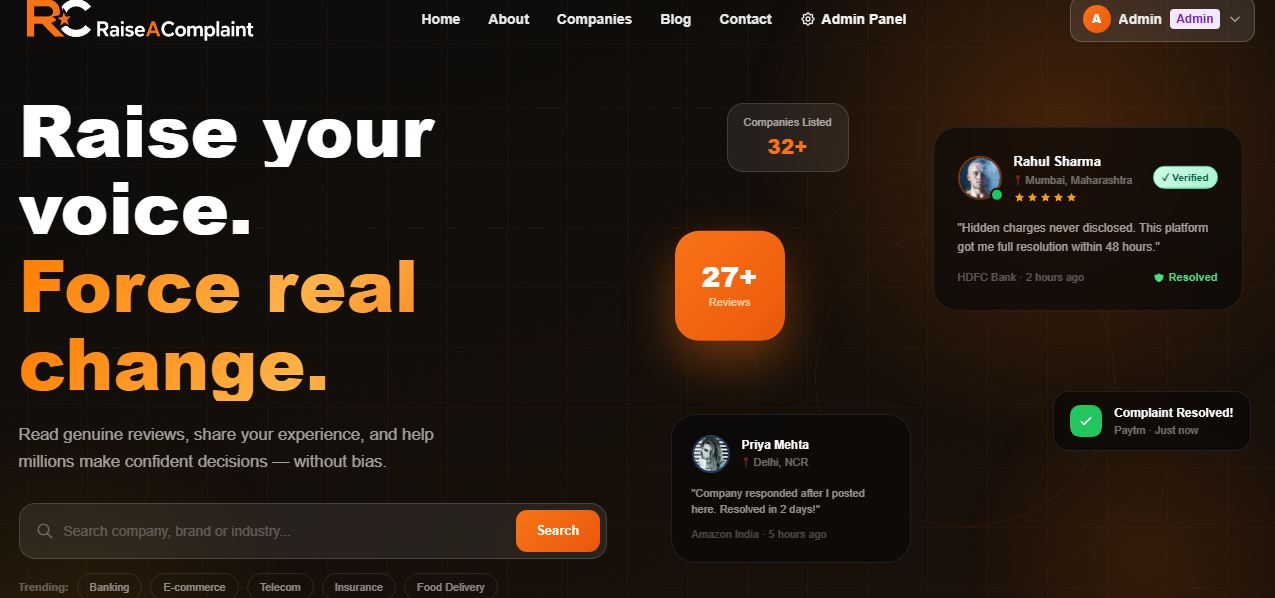
Open your browser and go to RaiseAComplaint.com. The homepage displays trending complaints, top- and lowest-rated companies, and a search bar where you can look up a specific business before deciding to register.
Step 2: Click the Sign Up or Register Button
Look for the Sign Up or Register button, typically located in the top-right corner of the homepage. Clicking it opens the registration form where account creation actually begins.
Step 3: Enter Your Details
Fill in your full name, email address, desired username, and password. Double-check your email address for typos, since this is where your verification link will be sent. Choose a username you’ll remember easily, especially if you plan to file multiple complaints over time.
Step 4: Accept Terms and Conditions
Before submitting the form, you’ll check a box agreeing to RaiseAComplaint.com’s Terms of Service and Privacy Policy. These documents outline how your data is handled, what content is allowed on the platform, and your responsibilities as a user — including posting honest, non-defamatory complaints and reviews. Reading through them once gives you a clear picture of how the platform protects user submissions and personal information.
Step 5: Verify Your Email Address
After submitting your registration form, check your inbox for a verification email from RaiseAComplaint.com. Open it and click the activation link to confirm your address and activate your account. If the email doesn’t appear within a few minutes, check your spam or promotions folder — verification emails occasionally land there depending on your email provider’s filters.
Step 6: Complete Your Profile
Once verified, log in and head to your account settings to round out your profile. You can add a profile photo, update contact preferences, and choose how you’d like to be notified about complaint updates. None of this is required to start filing complaints, but a complete profile makes your reviews appear more credible to other users and to the businesses you’re addressing.
Step 7: Start Using Your Account
With your RaiseAComplaint account fully set up, you’re ready to file your first complaint, write a review, or simply browse other consumers’ experiences with companies you’re considering doing business with.
What Can You Do After Creating Your Account?
Submit a Complaint
File a detailed complaint against any company, including dates, order numbers, and a clear description of what went wrong.
Write Reviews
Leave star ratings and written reviews reflecting your experience, whether positive or negative.
Track Complaint Progress
Check your dashboard anytime to see whether a business has responded or your complaint status has changed.
Receive Notifications
Get alerted by email whenever there’s movement on a complaint you filed.
Update Profile Information
Change your password, contact details, or notification preferences whenever you need to.
Interact With Businesses
Respond to company replies, ask follow-up questions, or escalate if a resolution stalls.
Manage Previous Complaints
Revisit older complaints to add updates, attach new information, or close out resolved issues.
How to Log In to Your RaiseAComplaint Account
Logging back in is simple. Go to RaiseAComplaint.com, click Login, and enter your registered username or email along with your password. If you’re on a personal device, checking the “Remember Me” box keeps you signed in for future visits — just avoid using that option on shared or public computers.
What to Do If You Forget Your Password
Click “Forgot Password” on the login page and enter the email address associated with your RaiseAComplaint account. You’ll receive a password reset email with a secure link. Choose a new password that’s different from previous ones, and avoid reusing it across other sites. If you don’t receive the reset email within a few minutes, check your spam folder before requesting another.
Common Registration Problems and Solutions
|
Problem |
Solution |
|
Verification email not received |
Check spam/junk folders, confirm the email entered was correct, and request a resend if needed. |
|
Invalid password error |
Make sure the password meets the minimum length and character requirements shown on the form. |
|
Duplicate email address |
If the system flags your email as already registered, use “Forgot Password” instead of creating a second account. |
|
Login issues |
Clear your browser cache or try an incognito/private window if the login page won’t load properly. |
|
Browser-related problems |
Switch browsers or disable extensions that may be blocking the cookies or scripts needed for registration. |
Why a RaiseAComplaint Account Makes Complaint Management Easier
A registered account turns scattered emails and phone calls into one organized, trackable record. Instead of trying to remember which representative you spoke to or digging through old email threads, everything lives in your RaiseAComplaint dashboard — dated, documented, and easy to reference later. That organization also improves communication, since businesses responding to a public complaint tend to act faster than they would to a private message that’s easy to ignore.
How RaiseAComplaint.com Helps Consumers
Beyond individual complaints, RaiseAComplaint.com gives consumers a collective voice. When patterns emerge — multiple users reporting the same billing issue or product defect — it becomes harder for companies to dismiss the problem as an isolated incident. By encouraging public reviews and visible complaint trails, the platform promotes the kind of transparency and accountability that pushes businesses toward better practices and faster resolutions.
The Bottom Line
Setting up a RaiseAComplaint account takes just a few minutes but gives you lasting access to a platform built around consumer transparency and accountability. Once you’ve registered, verified your email, and completed your profile, you’re equipped to submit a complaint online, write honest reviews, and track every interaction with businesses in one place. If you’ve been putting off creating your RaiseAComplaint account, there’s no better time — the sooner you register, the sooner you can start documenting your experiences and pushing for the resolutions you deserve.
Frequently Asked Questions
Is it free to create a RaiseAComplaint account?
Yes. Creating a RaiseAComplaint account is completely free. There are no hidden fees for registering, submitting complaints, writing reviews, or tracking your complaint history. The platform is designed to be accessible to any consumer who wants to share an experience or resolve an issue with a business.
How long does registration take?
Registration typically takes less than five minutes. You’ll fill in basic details like your name, email, username, and password, then verify your email address. Once verification is complete, your account is fully active and ready to use.
Can I submit complaints without an account?
No. While you can browse existing complaints and reviews without registering, submitting your own complaint or review requires a verified RaiseAComplaint account. This helps maintain accountability and prevents anonymous or duplicate submissions on the platform.
How do I verify my email?
After registering, RaiseAComplaint.com sends a verification email containing an activation link. Click the link to confirm your email address and activate your account. If you don’t see it within a few minutes, check your spam or promotions folder before requesting a new one.
What should I do if I forget my password?
Click “Forgot Password” on the login page and enter your registered email address. You’ll receive a secure reset link by email. Follow it to set a new password, choosing something unique that you haven’t used on other accounts.
Can I edit a complaint after submission?
Yes, registered users can typically update or add details to a complaint after it’s submitted, such as new information, attachments, or status updates. This makes it easier to keep your complaint accurate as a situation develops or gets resolved.
Is my personal information protected?
RaiseAComplaint.com outlines its data handling practices in its Privacy Policy, which all users agree to during registration. Personal details like your email and password are used for account verification and security, while your public profile visibility depends on your own settings.
Can businesses respond to my complaints?
Yes. One of the platform’s core features is allowing businesses to view and respond to complaints filed against them. This creates a public dialogue that often leads to faster resolutions than private customer service channels.
Do I need a profile photo to use my account?
No, a profile photo is optional. You can submit complaints and write reviews with just your basic registration details. Adding a photo and extra profile information simply makes your account feel more complete and credible to other users.
Can I have more than one RaiseAComplaint account?
It’s best to maintain a single account tied to one email address. If you’re having trouble logging into an existing account, use the password reset option rather than creating a duplicate, since this keeps your complaint history consolidated in one place.